Find out how long things really take
Pomodoro Ledger is a focus timer that keeps the books. Plan your day in rounds, focus on your own or in a room with others, and every round is written down, so your estimates get honest and your week adds up. In your browser, no account needed.


This is the real app with sample data. Press play to try it; nothing you do here is saved.
Planned 8 rounds, took 24. Everyone has tasks like that. Pomodoro Ledger shows you which ones.
One loop instead of five apps
None of the pieces here are new on their own. Pomodoro timers have estimates, time trackers have reports, co-working apps have rooms and break apps have reminders. To get all of it you'd need four or five apps, and none of them would know what the others saw.
Pomodoro Ledger is one loop. What you plan is what you focus on, what you focus on is written down, and what's written down makes the next plan better, down to the hours your biggest task should get. All of it made with the kind of care you'd want from something you open every day.
See where the hours went
Replaces:TimesheetsSpreadsheets
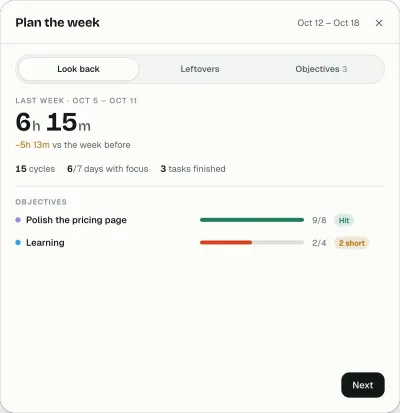
Every round is written against its task and label, right next to what you planned. You don't log anything. You focus, and the ledger fills in.
Then it tells you what you'd rather not know: which tasks you underestimate, by how much, and when in the day your focus actually happens.
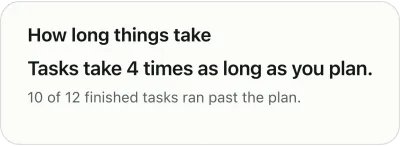
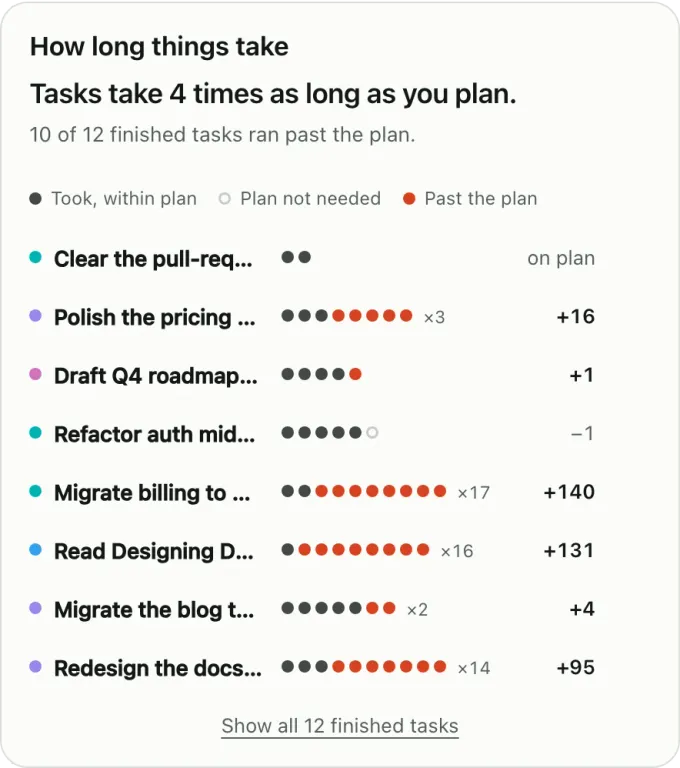
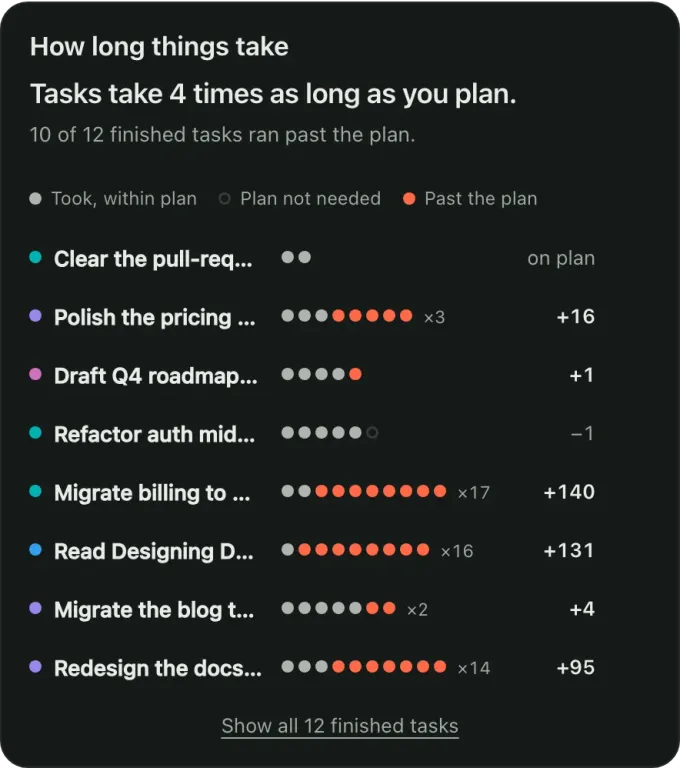
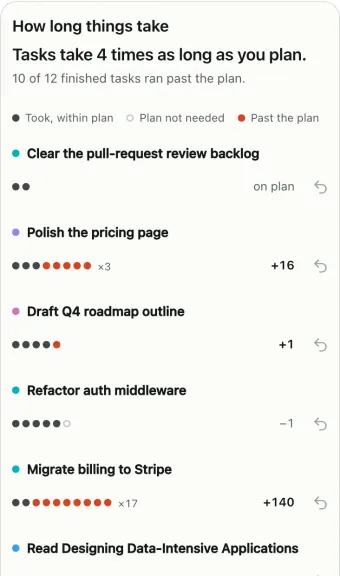
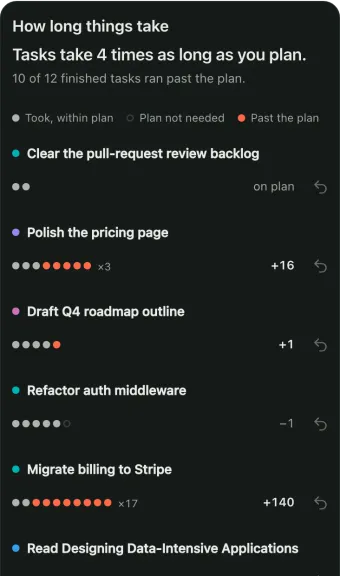
- Time tracking without the tracking: focus on a task and the minutes are written down
- Overtime and Flow sessions count too
- Focus by label for a week, a month or all time
- Export everything to a file whenever you like
Where the day actually went
Some days feel full and come to an hour and a half of focus. Your day lays one day out on four lanes: focus, short breaks, long breaks, and the idle time in between. There's nothing to fill in. The rounds and breaks you take are the record.
Drag across any stretch to zoom in, and point at a moment to see what you were on. The arrow keys step through the last two weeks.
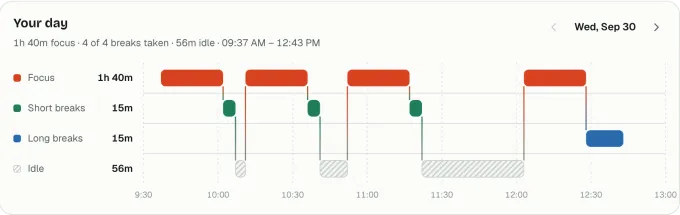
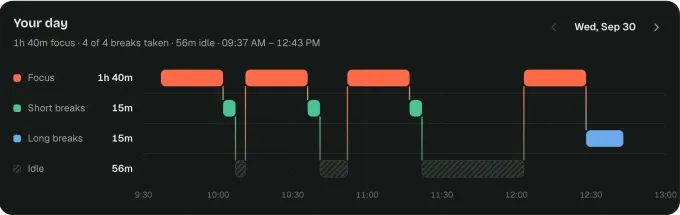
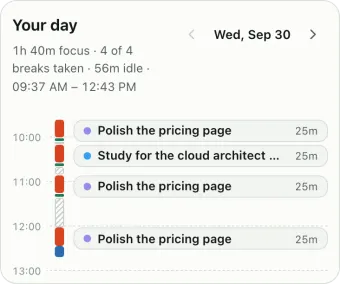
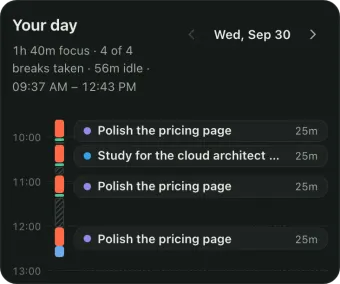
- Breaks are written down too, so a skipped one shows up as “3 of 4 breaks taken”
- Point at a break to see the nudge you did in it
- Filter by label and the rest of the day steps back
Your year, wrapped
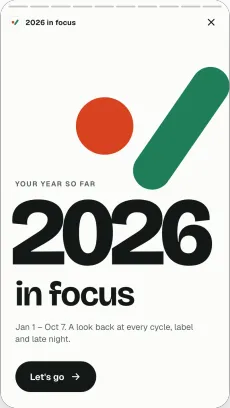
All year, the ledger quietly keeps score. In December it comes together in Year in Focus, a story of your year made entirely from your own numbers. We won't spoil it here.
There are badges in it too, earned along the way while you weren't looking.
And badges to find
- Century
One of twelve. The rest you'll have to earn.
Plan around your best hours
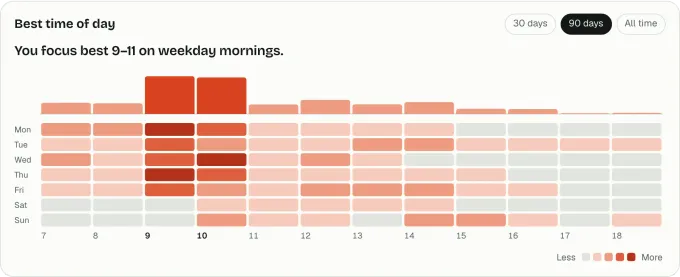
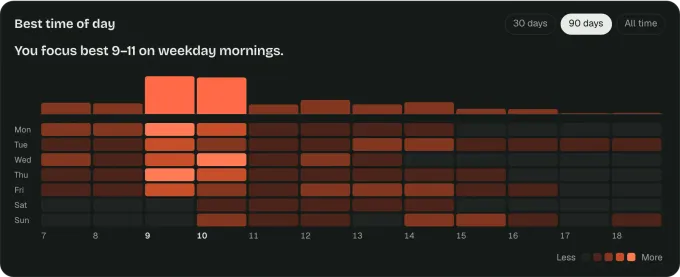
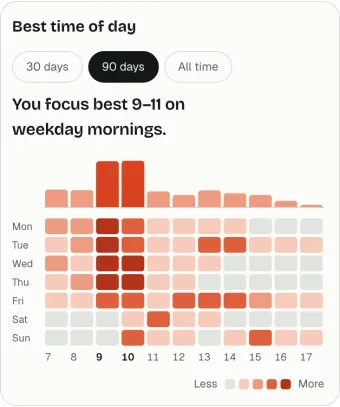
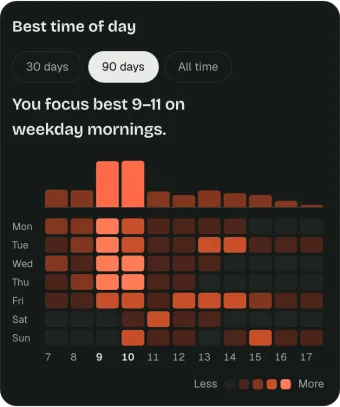
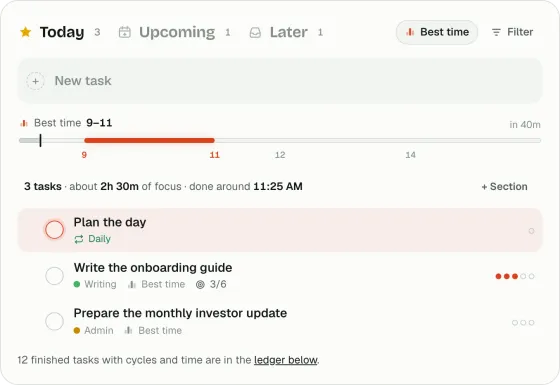
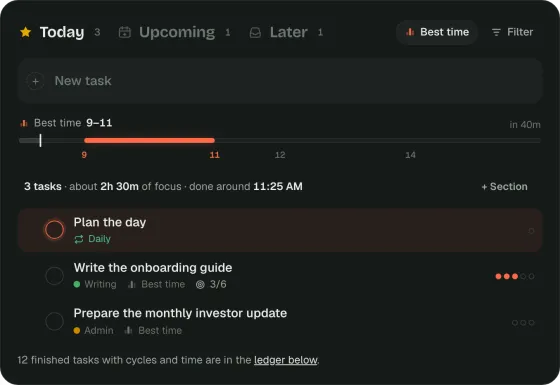
Most people have a couple of hours a day when hard things get easier. The ledger already knows yours. It looks at the last 90 days and finds the window where most of your focus lands.
Today uses it. When your biggest task would miss that window, one line offers to put it there. It only speaks up when the move gains at least half a round, and “Not today” means not today.
- A reminder when your best time starts, if you want one
- Windows for weekdays or weekends only, when that's how you work
- No guessing: it waits until one window holds at least 30% of your focus
Plan in rounds, not hours
Replaces:To-do appsSticky notes
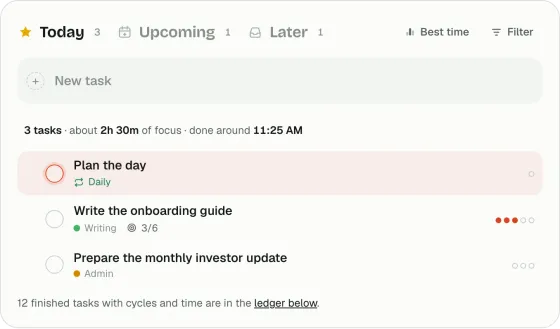
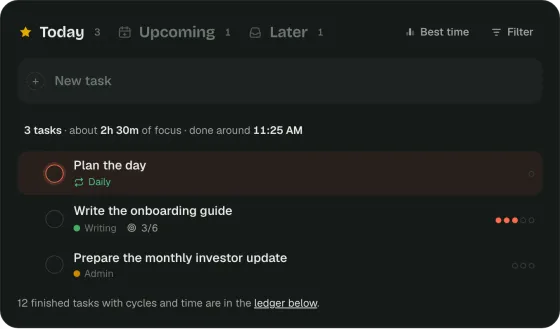
Give each task a few rounds and Today tells you when you'll be done. Because you can see what similar tasks really took, your guesses get better every week.
Friday
- Send the invoicesAdmin
- Review the Q3 numbersFinance
- Draft the launch postWritingoutline first
2 tasks · about 1h 40m of focus
Typing "Draft the launch post fri 3c #writing // outline first" adds a task for Friday with three rounds, the Writing label and a note.
- Recurring tasks: daily, on weekdays, every two weeks, monthly
- Yesterday's unfinished tasks roll over: always, never, or ask first
- Select several tasks and change them all at once
- ⌘ K finds every action, from labels to soundscapes
A clock that stays out of the way
Replaces:Kitchen timersStopwatches
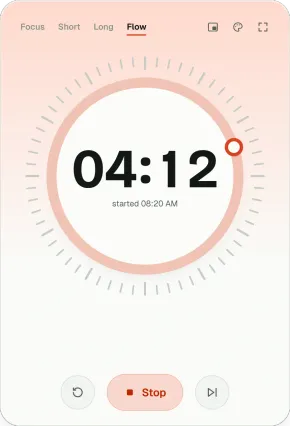
Focus, short and long breaks, or Flow when 25 minutes isn't enough. The controls stay quiet until you need them, and when the bell rings the round goes straight into the ledger.
- Keep going past the bell, and the overtime still counts for the task
- A floating Picture-in-Picture timer that stays on top of other windows
- Full screen, for when everything else on the screen is the problem
- The rounds start over on a new day, or after a long pause
A clock you'll like looking at
You'll look at this clock a lot, so it might as well be one you like. Pick a face, a ring and a background on the timer itself, the way you'd change a watch face: right-click the dial, or tap the palette.
Fifteen faces, from split-flap and Nixie tubes to the time written out in words, each with its own tick. Nine rings and eighteen backgrounds, from warm paper and night red to the weather outside your window. Start from a ready-made look, or save a mix of your own and switch back to it in one tap.
- Water fills up as you focus and drains on a break
- Sky follows the sun where you are, and Weather brings in the clouds and rain
- Your look comes along to full screen and the floating timer
Breaks that actually rest you
Replaces:Stretch remindersWater reminder apps
A break spent scrolling isn't much of a break. So each one brings a single small nudge: rest your eyes, stand up and stretch, or drink a glass of water. Tap it when you've done it.
Write your own in plain words, like “Drink water every 90 min”, and choose when it comes up: every few breaks, after a stretch of focus, or at a set time of day.
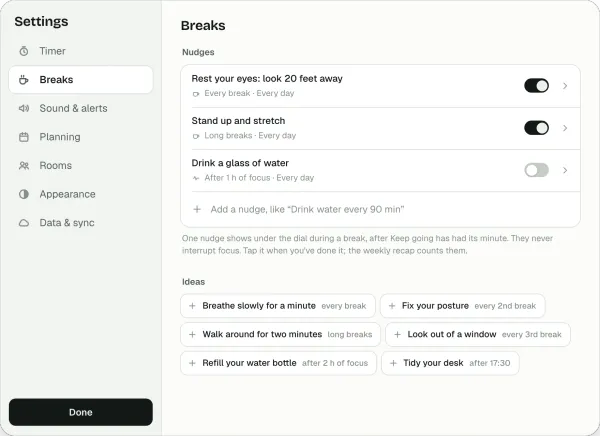
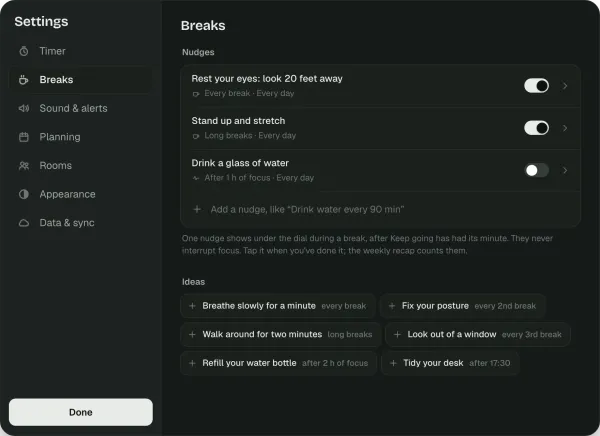
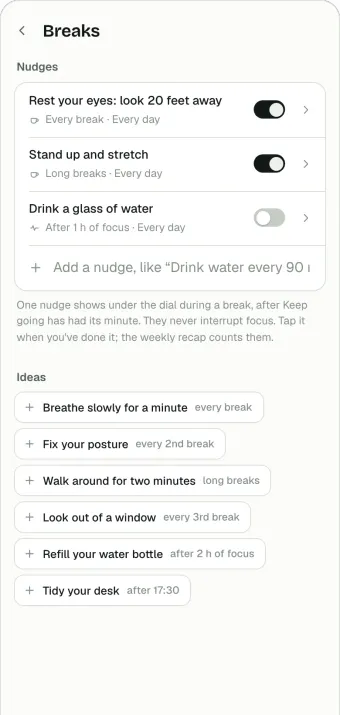
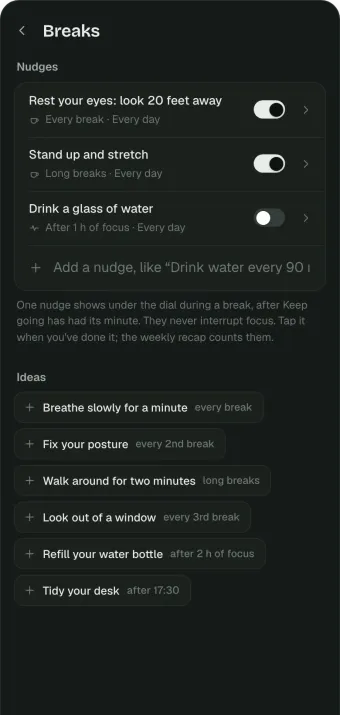
- Rest your eyes on every break, stretch on the long ones
- Ideas to start from, like breathing slowly or looking out of a window
- Breaks start on their own when a round ends, and the next round can too
Focus alongside other people
Replaces:Video co-working callsThe library
Start a private room for your team or study group, or drop into a public one. Everyone's timer follows the same round, so you see who's focusing and how long is left. No camera, no small talk, and nobody sees what you're working on.
- Private rooms with a code or an invite link
- Sync timers asks everyone to switch to yours, and only happens if all of them accept
- Scheduled public sessions, with a reminder even when the app is closed
- Your tasks, labels and history stay private, always
Rain that never loops
Replaces:10-hour rain videosWhite noise apps
Soundscapes are generated in your browser while you listen, so there's no loop to start noticing. Layer rain, ocean, fire and brown noise, save your own mixes, and give breaks a mix of their own.
Sweated down to the second
Most of the work goes into things you'll barely notice, so the app can stay out of your way. A few of them:
- Works offline, and installs from your browser like an app
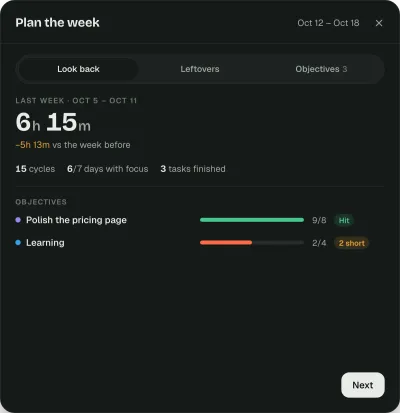
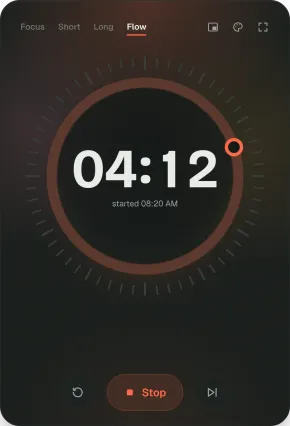
- Light and dark, down to the last chart
- One thing at a time: the timer never shows two prompts at once
Questions
How is this different from a time tracker?
You don't log anything. Focus on a task and every round is written down for you, next to the rounds you planned. The record builds itself while you work.
How does it know when I focus best?
It looks at the rounds in your ledger from the last 90 days and finds the hours where most of your focus lands. It needs a few days of focus first, and Today only plans around a window that holds at least 30% of your focus. You can switch it off in Settings.
Is Pomodoro Ledger free?
Right now, everything is free. A paid plan with extras will come later.
Do I need an account?
No. Your tasks and history are saved in your browser on this device. You can export everything to a file at any time and import it again somewhere else.
Does it work offline?
Yes. After your first visit the app opens without a connection, and you can install it from your browser so it starts like any other app. Rooms need a connection.
Does it work on my phone?
Yes. Add it to your home screen and it opens full screen, with its own timer page and tabs at the bottom.
What is the Pomodoro Technique?
A way of working in focused rounds: 25 minutes on one task, then a 5-minute break, with a longer 15-minute break after every four rounds. Pomodoro Ledger starts with those settings, and you can change every one of them.
What is Flow mode?
A timer that counts up, for work that doesn't fit in 25 minutes. Press Stop when you're done and you get a break sized to the session: about a minute for every five, like the Flowtime technique.
Can I use it with my team or a study group?
Yes. Start a private room and share its code or invite link. Everyone's timer follows the same round, and you can see who's focusing and how long is left.
Can people in a room see my tasks?
No. A room shares your display name and your timer. Your tasks, labels and history stay private.
The first round takes 25 minutes. The ledger takes it from there.